
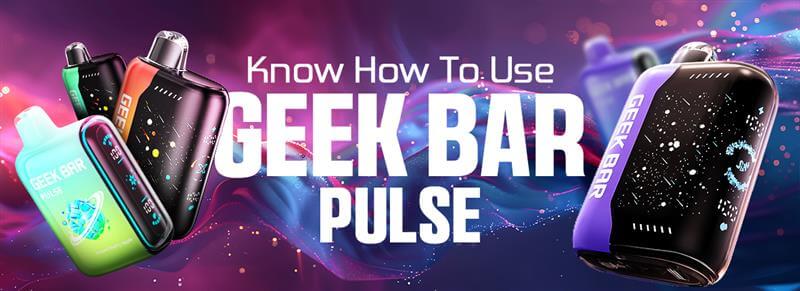
Complete Instructions In One Guide: Know How To Use Geek Bar Pulse
If you’re new to vaping, learning how to use geek bar pulse can make things a lot easier. The Geek Bar Pulse is one of those devices that keeps things simple but still gives you a stylish and smooth vaping experience. This guide breaks down all the basics in one place so you don’t have to keep guessing.
What Is the Geek Bar Pulse?
The Geek Bar Pulse is a disposable vape that feels more advanced than the usual ones. It comes with a clear design, strong battery, and features that you won’t find in every device. You get adjustable settings and a pulse mode that makes the experience stand out.
For anyone looking to buy geekbar disposable vapes online, the Pulse is a popular pick. It’s portable, sleek, and built for both beginners and regular vapers.
How to Turn On the Geek Bar Pulse?

- Starting your Geek Bar Pulse is easy.
- ake it out of the package.
- Remove the protective seals.
- Press the main button or inhale, depending on the model.
The device usually comes pre-charged and pre-filled, so you don’t have to set up anything complicated. It’s ready to go within seconds.
How to Adjust Geek Bar Settings?
One thing that makes the Pulse unique is its adjustable options. Not every disposable vape gives you this. You can switch between settings to get either a smooth draw or a stronger hit.
- Use the toggle or button on the side.
- Switch between normal and pulse mode.
- Choose the airflow style you like.
This is handy because you don’t always want the same type of puff. Having the choice makes the device more flexible.
How Do You Use the Geek Bar Pulse?
Now comes the main part, how to use geek bar pulse in daily vaping. Once it’s turned on, just inhale from the mouthpiece. That’s it. The auto-draw system activates the coil and heats the e-liquid.
If you’re used to standard vapes, this will feel natural. The difference is in how smooth and controlled the hits feel.
Also, if you’re planning to buy rechargeable vapes, remember that the Pulse is rechargeable through a USB-C port. This makes it last longer compared to standard disposables.
How Does the Pulse Mode Work on Geek Bars?
Pulse mode is where the Geek Bar Pulse gets interesting. When switched on, the coil gives short bursts of power instead of a steady flow. This creates a thicker cloud and a more intense flavor.
Think of it like turning up the volume on your vape. Normal mode is calm and easy. Pulse mode is bold and punchy. Many people switch between the two depending on their mood.
Common Issues and How to Fix Them
Even though the Geek Bar Pulse is reliable, small issues can happen. Here are a few and how you can fix them:
No vapor: Check if it’s charged. Plug it in for a while.
Weak flavor: Switch from normal to pulse mode for a stronger hit.
Tight draw: Make sure nothing blocks the airflow.
Device not starting: Ensure you removed the stickers or seals.
Most of these fixes take seconds. If the device is empty, you’ll need a replacement.
Basic Maintenance Tips for Geek Bar Pulse
To keep your device running well, a little care helps.
- Charge it before the battery runs out fully.
- Keep it away from heat or direct sunlight.
- Store it upright to prevent leaks.
- Don’t overcharge; unplug once full.
Simple habits like these can extend the life of your device. For people ordering from a vape store online, maintenance ensures the device you buy lasts as long as possible.
Final Thoughts
Now you know exactly how to use geek bar pulse without confusion. From turning it on to adjusting settings and exploring pulse mode, the guide covers all the basics. Whether you’re starting fresh or adding a new device to your collection, the Pulse keeps things simple while offering extra options. For trusted quality and variety, you can check out CSVAPE.
Must Read: How Long Do Geek Bars Last: An Overview of the Longevity of Geek Bar Vapes
FAQs
1. How long does a Geek Bar Pulse usually last?
The lifespan depends on how often you vape. For most users, it can last several days to over a week. Since it’s rechargeable, you can use it until the e-liquid runs out.
2. Can you refill a Geek Bar Pulse?
No, the Geek Bar Pulse is not made for refilling. It comes pre-filled, and once the liquid is empty, the device is meant to be replaced. Refilling can damage the device and affect performance.
3. Does the Geek Bar Pulse have nicotine-free options?
Yes, some versions are available in zero-nicotine strengths. It depends on where you buy it and the available stock. Always check the product label before purchasing.
4. Can you travel with a Geek Bar Pulse on a plane?
Yes, you can carry it, but it must go in your carry-on, not checked luggage. Most airlines allow it, but you cannot use it on the flight. Always confirm with the airline's rules before traveling.
5. What makes the Geek Bar Pulse different from other disposables?
The main difference is the pulse mode, which adds stronger hits and thicker clouds. Plus, it’s rechargeable, so it lasts longer than standard disposables that stop working when the battery dies.
Share:
Do Geek Bars Go Off in Metal Detectors? Travel Tips You Need to Know
Where to Buy Rogue Nicotine Pouches: A Guide for New Buyers